By
Mia Torres
Content Strategist, Foxy AI Academy
Best AI Headshot Tools for Creators in 2026
By Mia Torres, Content Strategist · Last updated May 2026 · 14 min read
A creator's headshot grid in 2026 is less "boardroom photo" and more "twelve usable photos for twelve different placements."
Most AI headshot tools are built for one job: turn a sales rep into a LinkedIn-ready photo in a suit. That's a fine job. It's just not the job creators actually have. If you make content for a living, you don't need 50 versions of the same blazer shot. You need a face that looks like you across hundreds of posts, in different outfits, in different settings, that match a real Instagram grid or a podcast banner or a press kit. This guide breaks down the AI headshot tools worth paying for in 2026, what each one is actually good at, and where the creator use case breaks the "professional headshot" model entirely.
Key takeaways
The big AI headshot tools (Aragon, Secta, HeadshotPro, BetterPic, Try It On AI) deliver solid corporate headshots starting around $29 to $49 as a one-time purchase.
For one-off LinkedIn photos, Aragon and Secta are the strongest pure-play tools. Aragon edges ahead on realism, Secta wins on volume.
Realism, not variety, is what most creators get wrong - face drift, plastic skin, and "almost you but off" are the failure modes that kill a headshot.
Creators usually don't have a "headshot" problem. They have a "consistent likeness across hundreds of content shots" problem. That's a different tool category.
Plan on 8 to 20 selfies as training input, all from different angles, with good light. Bad input photos are the single biggest reason AI headshots come back looking generic.
Quick comparison: top AI headshot tools at a glance
Tool | Best for | Starting price | Output volume | Creator verdict |
|---|---|---|---|---|
Realism on a single look | $35 one-time | 20 to 100 photos | Best for one polished LinkedIn shot | |
High-volume corporate variety | $49 one-time | 200+ photos | Best if you want lots of suit-and-tie variants | |
Team headshots | $29 one-time | 40 to 240 photos | Best for company team pages, weaker on solo realism | |
4K resolution | $35 one-time | ~100 photos | Best if you need print-quality resolution | |
Speed and outfit variety | $17 one-time | 20+ photos | Best for fast turnaround, weaker likeness | |
Ongoing creator content beyond headshots | $29/month | Unlimited via credits | Best if your content needs go past a single headshot |
Bold takeaway: if you need one professional headshot, pick Aragon or Secta and move on. If you're a creator who needs your face in hundreds of different posts, you need an AI twin, not a headshot generator.
What you'll find in this guide
What counts as an "AI headshot" in 2026
Why creators need something different from corporate headshots
The realism problem that breaks most tools
How to evaluate any AI headshot tool (the five criteria that matter)
Honest reviews of Aragon, Secta, HeadshotPro, BetterPic, and Try It On AI
The AI twin approach for ongoing creator content
Where creators actually use AI headshots (LinkedIn, podcast art, press kits, more)
How to prep your training photos so the output looks like you
Common mistakes that ruin AI headshots
FAQ
Skip the photoshoot. Build your AI twin in under 10 minutes from photos you already have, then generate as many photos and videos of yourself as you want.
What an AI headshot actually is in 2026
An AI headshot is a photorealistic portrait of you generated by a model that was trained on a handful of your real photos. You upload 8 to 20 selfies. The tool fine-tunes a model on your face. Then it generates new photos of you wearing outfits and standing in environments you never actually wore or stood in.
The category exploded in 2023 when Aragon and a few competitors proved you could get a usable LinkedIn-quality headshot for under $50 in under an hour. By 2026, the SERP for "ai headshot generator" is dominated by five or six tools doing roughly the same thing with roughly the same pricing.
What makes one better than another:
Likeness. Does the output actually look like you, or does it look like "a version of you" that drifts in face shape, eye color, or expression?
Skin and texture. Does it look like a real photo, or does it have that telltale plastic, smoothed, slightly waxy AI sheen?
Variety. How many outfits, backgrounds, expressions, and crops do you get?
Speed and price. What's the turnaround and what's the cost per usable photo?
Use rights. Can you use the photos commercially, on a website, in ads?
For a one-off corporate headshot, the leaders converge on "good enough." The real divergence shows up the moment you want to use your face in volume.
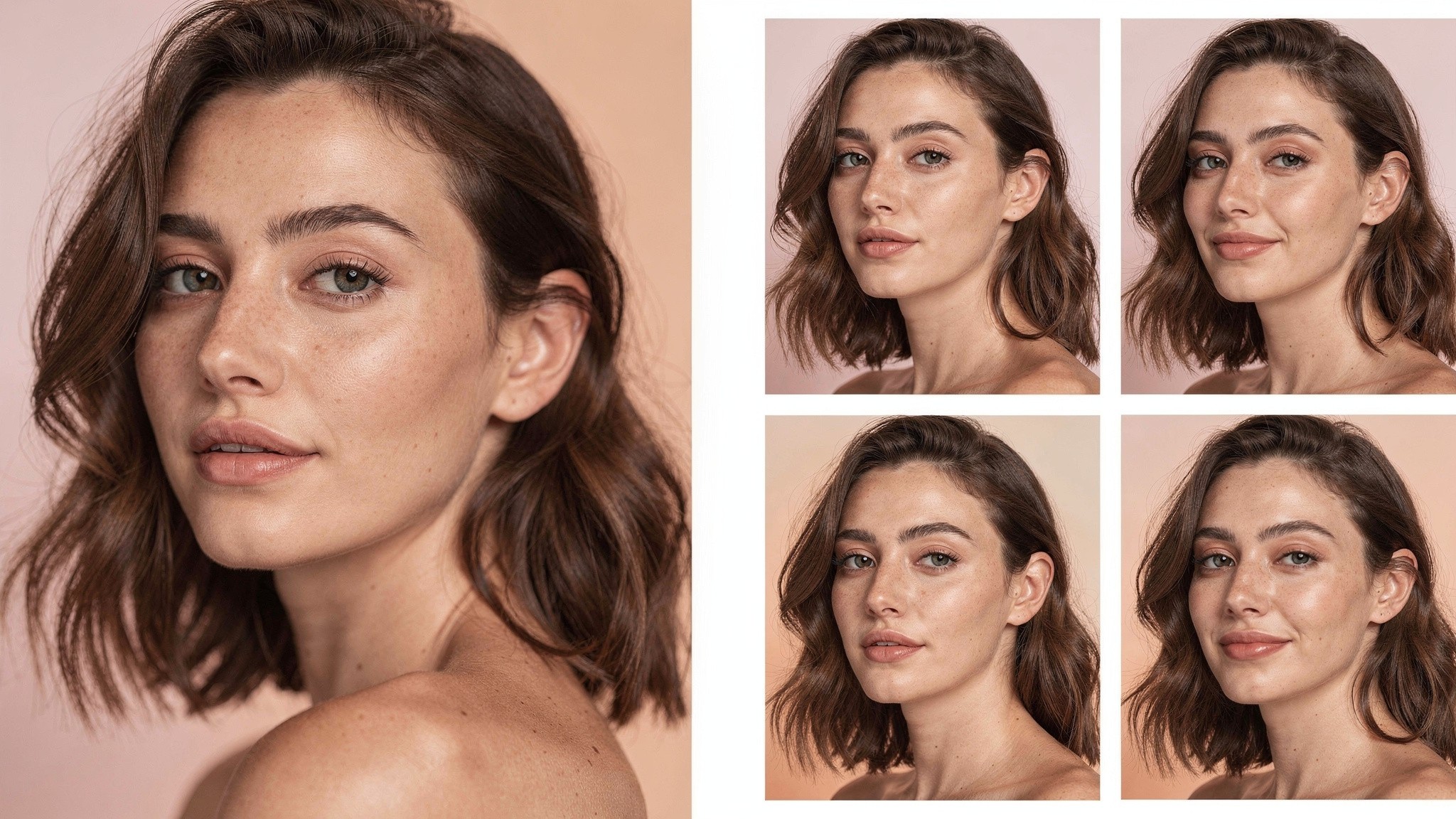
"Face drift" is the most common AI headshot failure: the output looks like a relative of you, not actually you.
Why creators need something different from corporate headshots
Here's the gap nobody in the AI headshot space talks about. The major tools optimize for one polished portrait. Creators need consistency across a feed.
A creator's "headshot" is rarely one photo. It's:
The Instagram profile pic
The podcast cover art
The press kit photo
The Twitter or X header
The LinkedIn banner if they have one
Every post on the grid that shows their face
Every Reel and TikTok thumbnail
Every email newsletter author photo
Every brand pitch deck
A corporate headshot tool will give you 100 variations of "you in a blazer in front of a soft grey wall." That's useful exactly once. Then you're back to the same problem.
The actual problem for a creator is keeping the same face across hundreds of different contexts. Your face needs to read as you whether you're shot in a kitchen, on a beach, in workout clothes, or at golden hour. That's not what an AI headshot generator is built for. That's what an AI twin is built for - and it's the gap Foxy's AI twin feature was built to fill.
We'll come back to the AI twin angle. First, let's go through the actual headshot tools you'll see when you search.
The realism problem most tools have
Most AI headshot tools share three failure modes. Knowing them up front saves you from buying the wrong thing.
Failure mode 1: face drift. Output photos look like someone in your family but not quite you. Cheekbones higher. Nose slightly different. Eyes a shade off. The technical reason is that smaller, older fine-tuning models can't fully capture your face from limited training data. The practical reason is that you'll feel weird posting it and your audience will subconsciously feel it too.
Failure mode 2: the AI sheen. Skin looks airbrushed past the point of credible. Pores gone. Texture flat. Hair edges too clean. Eyes too symmetrical. This is what people mean when they say AI photos look "off." It's not one thing - it's the accumulation of small unnatural details.
Failure mode 3: generic features. Output photos look like "a brunette woman in her thirties" not "you specifically." This happens when the model leans too hard on its training data of stock-photo headshots and not hard enough on your actual photos.
The fix for all three is the same: better training photos in, better models behind the scenes, and a system that knows how to preserve identity across generations. Tools that nail this charge more. Tools that don't are why so many AI headshots end up unused in a folder.
Pro tip: the mirror test. Show three AI headshots to someone who knows you well, mixed in with three real photos. If they can't tell which are real, the tool is working. If they spot the AI ones in two seconds, the likeness isn't there yet. Cheap and brutal, but accurate.
How to evaluate any AI headshot tool
Five criteria. In order of importance for creators.
1. Likeness
This is everything. A photo that doesn't look like you isn't a usable headshot, no matter how cinematic the lighting. Test by uploading the same selfies to two tools and comparing the outputs side by side. The one whose photos make your friends say "is that you?" without hesitation wins.
2. Variety that's actually useful
200 photos sounds great until you realize 180 of them are minor variations of the same suit shot. Look at sample galleries before paying. Count how many distinct looks you'd actually post.
3. Cost per usable shot
The real metric isn't "$45 for 60 photos." It's "$45 for the 6 photos I'd actually use." Most tools deliver a usable-photo rate of 10 to 30 percent. Build the cost-per-shot math around that.
4. License and commercial use
For creator and business use, you need full commercial rights to the output. The major tools all grant this, but read the terms - especially if you're putting the photos in paid ads or on a product.
5. Turnaround and re-runs
How fast do you get the photos, and what happens if the batch is bad? Some tools let you re-roll for free, some charge $10 to $15, and some make you start over.
Evaluation criterion | What to check | Why it matters for creators |
|---|---|---|
Likeness | Side-by-side test against your real photos | The single thing that kills 80% of AI headshots |
Skin and texture | Zoom in on the face at 100% | Plastic-skin shots get filtered by the audience instantly |
Variety | Count distinct looks in the sample gallery | Creators need different backdrops for different placements |
Cost per usable shot | Output count times your usable rate | Most tools have a 10 to 30% usable rate, not 100% |
Commercial license | Read the terms | You're using these on a business, not a hobby account |
Turnaround | Stated time vs. real time | Fast tools help you ship; slow tools stall a launch |
Re-roll policy | Free or paid for redos | Saves you a second purchase if the first batch flops |
Aragon AI
Aragon is the SERP-dominant AI headshot tool and the one most reviewers default to as the safe pick.
Pricing (2026):
Starter: $35 for 20 headshots, 2-hour turnaround
Basic: $45 for 60 headshots, 1-hour turnaround
Premium: $75 for 100 headshots, 30-minute turnaround
All one-time payments. No subscription. Output resolution is 2048 by 2560 pixels, which is high enough for print.
What it gets right. Aragon's likeness is the best of the corporate-headshot bunch. Their model handles a wide range of face shapes and skin tones better than most. Skin texture stays believable. Eye consistency is strong. For LinkedIn, Aragon is the photo you can post without it looking AI.
Where it falls short. Variety is narrow. You'll get a lot of the same handful of looks even on the $75 tier. Backgrounds are polished but corporate - studio grey, executive office, soft outdoor. There's almost nothing creator-coded. No casual home settings. No lifestyle backdrops. No fashion-feed energy.
Verdict for creators. If you need one excellent LinkedIn or About-page headshot and you're not a creator who lives on Instagram, Aragon is the right pick. If your face needs to look at home in a fashion grid, this is the wrong tool.
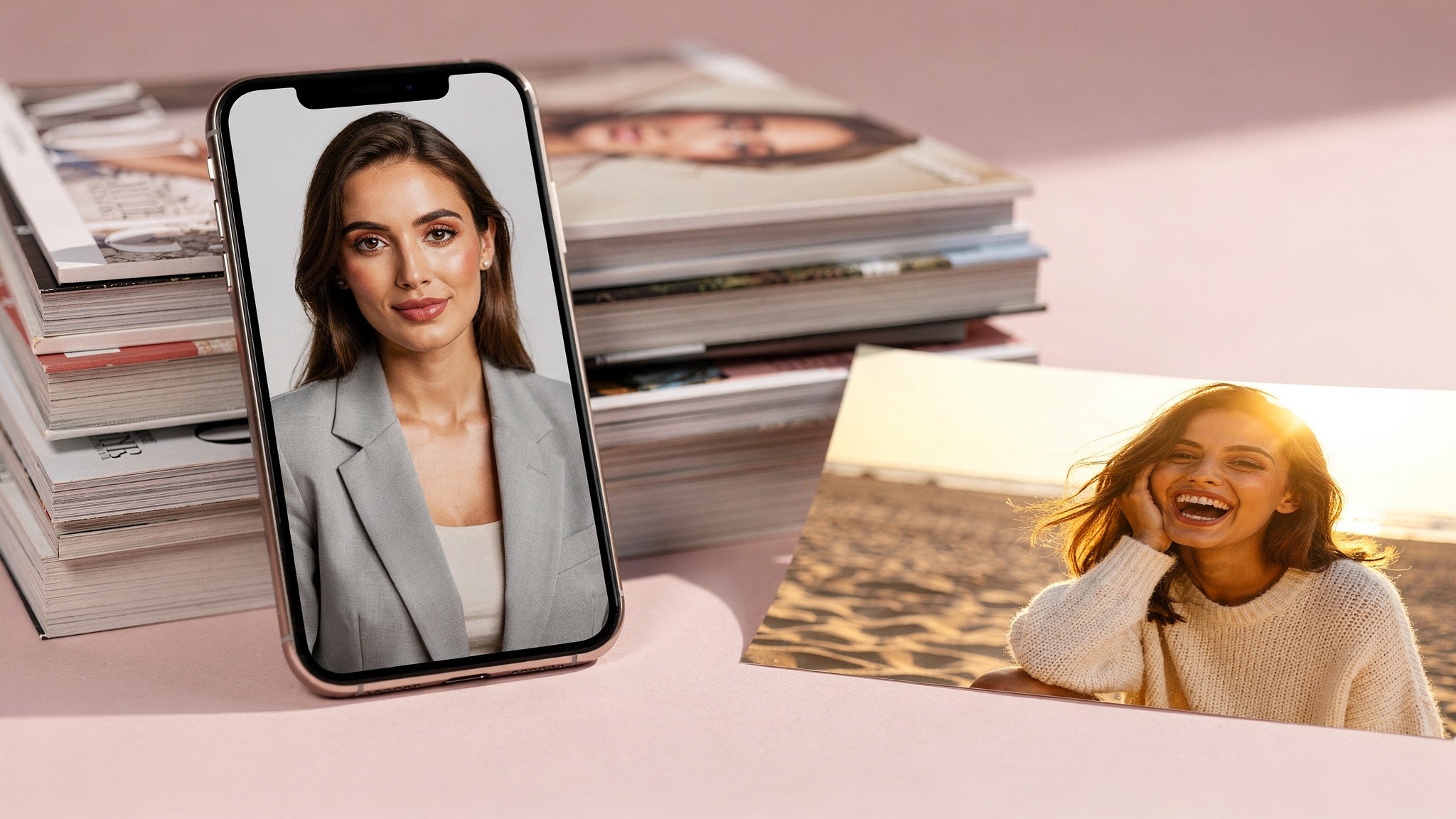
Aragon nails the LinkedIn shot. It's less useful when your audience expects you in a kitchen at golden hour.
Secta
Secta is the volume play. $49 one-time, 200-plus photos.
Pricing (2026):
One tier: $49 for 200-plus high-resolution headshots
100-plus styles to choose from
30-day money-back guarantee
Add-on credits for re-rolls and edits
What it gets right. Sheer volume. If you want a lot of options to pick from, Secta delivers. Their style library is genuinely wide - tech-bro casual, classic corporate, creative-director black, even some lifestyle and travel looks. Built-in editing tools let you tweak facial expression, expand the frame, and generate variations from a single image.
Where it falls short. Likeness is hit-or-miss. Across 200 photos you'll get gold, you'll get decent, and you'll get face-drift duds. The hit rate is somewhere in the 15 to 25 percent range depending on your training set. Skin texture sometimes goes plasticky on the more stylized backgrounds.
Verdict for creators. Secta is the right pick if you want raw variety and don't mind sifting. The lifestyle and travel-style looks are closer to creator content than most competitors. Pair it with strong training photos and the hit rate climbs.
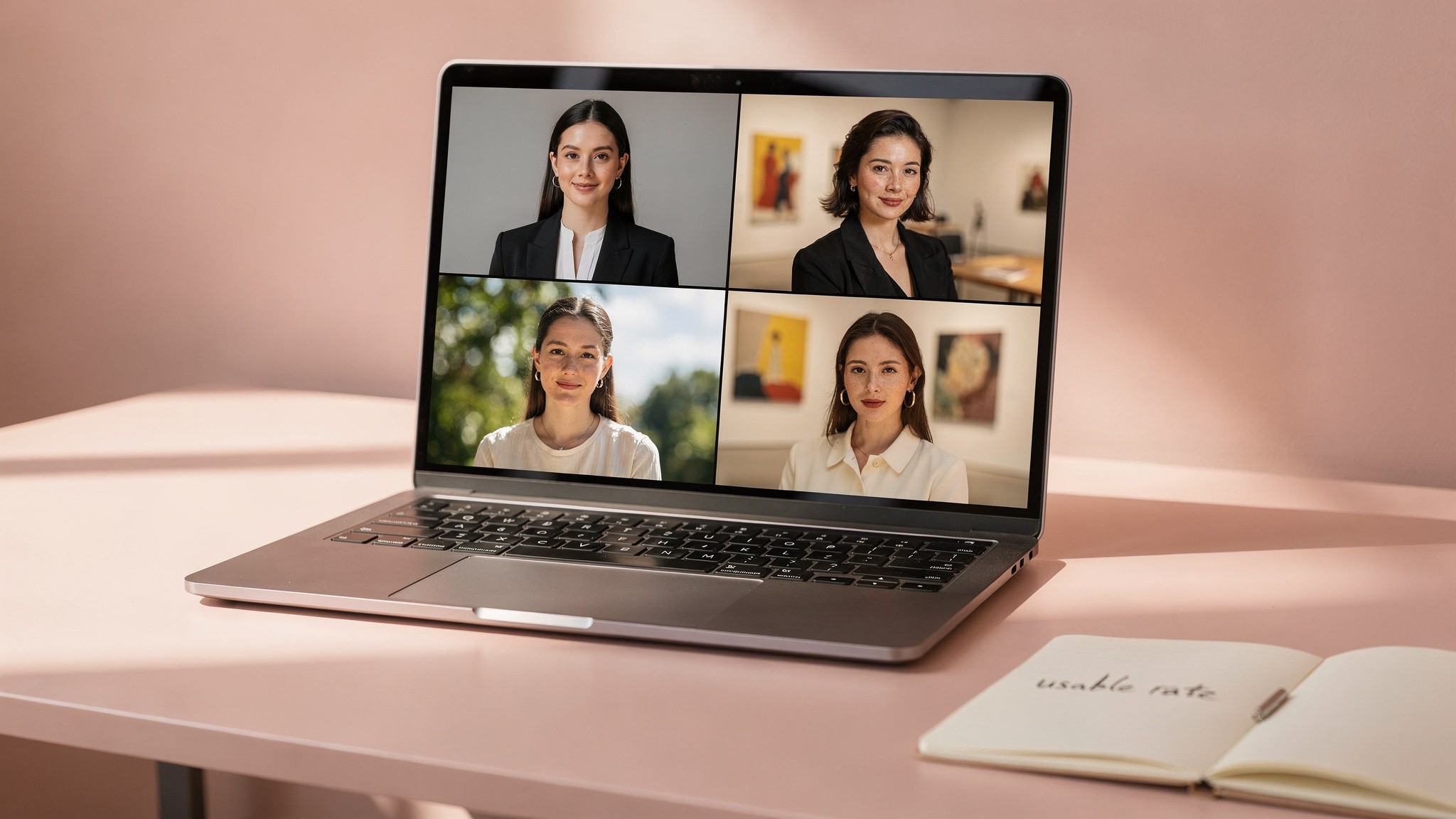
Volume and variety look great in marketing screenshots. The real question is what your usable rate is across the batch.
HeadshotPro
HeadshotPro is the team-headshot tool. Built for companies that need consistent photos across an org.
Pricing (2026):
Small Shoot: $29 for 40 headshots
Normal Shoot: $39 for 120 headshots
Premium Shoot: $49 for 240 headshots
Team pricing: $39 per person, 20% discount for 5-plus
14-day money-back guarantee
What it gets right. Team consistency. If you're running a company website with 30 employees and you want everyone to look like they're from the same studio, HeadshotPro is built for exactly that. Turnaround is fast - as quick as 10 minutes on some plans. Commercial rights are full.
Where it falls short. Solo realism is a step behind Aragon. The face drift is more pronounced. Backgrounds and outfits skew strongly corporate - white shirts, grey blazers, beige walls. Almost zero creator-coded options.
Verdict for creators. Not the pick for individual creators. It's a B2B team tool. If you run an agency or a creator collective that wants on-brand photos for every team member, it earns its place. Solo, look elsewhere.
BetterPic
BetterPic is the resolution play. 4K on every plan.
Pricing (2026):
Basic: $35 one-time
Pro: $39 one-time
Expert: $79 one-time
Team pricing scales from $49 down to $13 per person at volume
$10 per redo if results aren't usable
7-day refund window before training
What it gets right. 4K resolution. If your headshot is going on a printed media kit, a billboard, or a big-format website hero, BetterPic's resolution beats every competitor in the price range. Likeness is solid - mid-pack between Aragon and Secta.
Where it falls short. The redo charge stings. If your first batch is mostly unusable, you're paying $10 each to fix. The style library is decent but not as wide as Secta's. Output skews corporate-creative rather than creator-feed.
Verdict for creators. If you need print-quality headshots for a media kit or speaker bio, BetterPic is the right call. For everyday creator content, the resolution is overkill and the cost-per-redo math doesn't favor you.
Pro tip: don't pay for 4K you won't use. Instagram displays profile pics at 320 by 320. Your LinkedIn photo renders at 400 by 400 max. Podcast art is 3000 by 3000 but only seen as a thumbnail 95% of the time. 4K is only worth paying for if you have a print or large-display use case.
Try It On AI
Try It On AI is the speed play. $17 entry, 30 minutes to a usable batch.
Pricing (2026):
Express: $21 for fast turnaround, $35 for 20 images
Creative Studio: $19 per month, more outfit and scene control
Custom human edits: $10 per image
What it gets right. Speed. You can have professional-looking headshots in your inbox in 30 minutes. The Creative Studio subscription is the closest thing to a "creator mode" any of these tools offer - more outfit and scene control, more iteration. WSJ rated it a top AI tool. Used by professionals at Google, Goldman Sachs, Morgan Stanley.
Where it falls short. Likeness is the weakest of the five reviewed here. Train it with one selfie (as advertised) and the output drifts hard. Train it with 15 to 20 photos and it gets closer to Aragon-level, but you've now spent the same effort.
Verdict for creators. Worth a try if you need something in your inbox today. The Creative Studio subscription is interesting for ongoing iteration. If likeness is non-negotiable, start with Aragon instead.
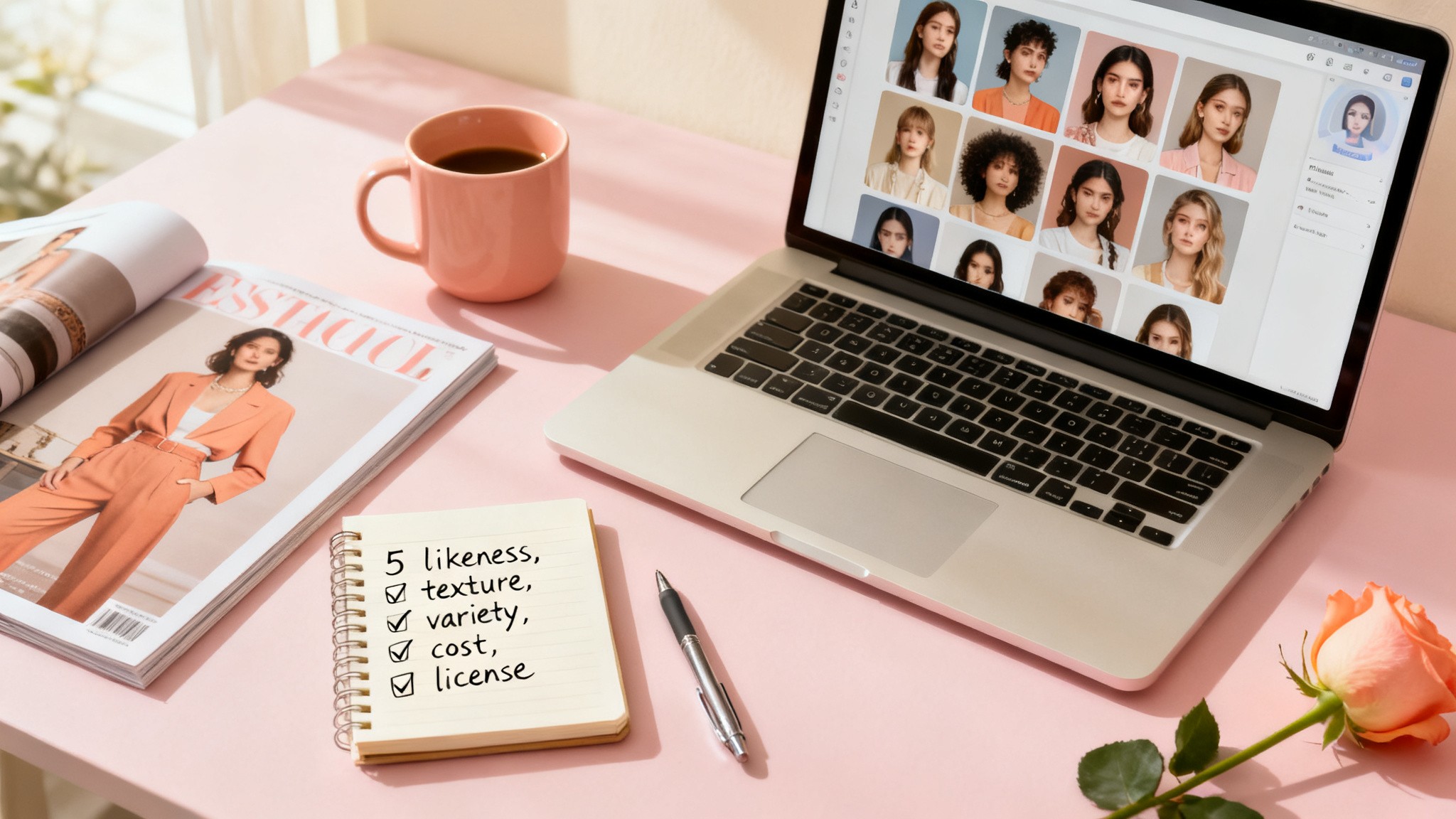
The five-criteria test (likeness, texture, variety, cost per usable shot, license) cuts through most "best AI headshot" marketing in about ten minutes.
Cost-per-shot reality check
The advertised numbers (200-plus headshots for $49) imply you're getting hundreds of usable images. That's almost never true. Here's a more honest cost-per-usable-shot table.
Tool | List price | Stated photos | Realistic usable rate | Cost per usable shot |
|---|---|---|---|---|
Aragon Premium | $75 | 100 | 25 to 35% | $2.14 to $3.00 |
Aragon Basic | $45 | 60 | 20 to 30% | $2.50 to $3.75 |
Secta | $49 | 200+ | 15 to 25% | $0.98 to $1.63 |
HeadshotPro Premium | $49 | 240 | 15 to 25% | $0.82 to $1.36 |
BetterPic Basic | $35 | ~100 | 20 to 30% | $1.17 to $1.75 |
Try It On AI Express | $35 | 20 | 15 to 25% | $7.00 to $11.67 |
Cost-per-usable-shot is the metric that actually matters. Secta and HeadshotPro lead on raw economics. Aragon leads on hit-rate. Try It On AI is the most expensive per usable shot if you're being honest about the numbers.
The Foxy approach: AI twin instead of AI headshot
Here's where the framing changes. Foxy isn't an AI headshot tool in the Aragon-or-Secta sense. It's an AI content platform built around the AI twin.
You upload three photos. Foxy builds your AI twin in under 10 minutes. From that twin, you generate as many photos and videos of yourself as you want, in any outfit, any setting, any scenario.
Why this matters for creators.
A headshot tool gives you 100 portraits and then you're done. An AI twin keeps generating new content of you for as long as your plan is active. The same face. The same likeness. Across kitchens, beaches, studios, gyms, runways, golden hour, blue hour, you name it. That's the difference between buying a one-off photo pack and having an ongoing content engine.
The realism advantage matters here. Foxy's positioning, confirmed across 11,000-plus paying creators, is that the AI twin holds your likeness better than the major headshot generators across high volume of output. Less face drift. Less plastic skin. More photos that pass the mirror test.
Pricing. Starter is $29 a month - less than $1 a day. Plus is $49 a month. Creator is $99 a month. Annual is 50% off across the board. Most creators spend around $50 a month, which works out to roughly the cost of one Aragon batch every month - but with unlimited fresh content.
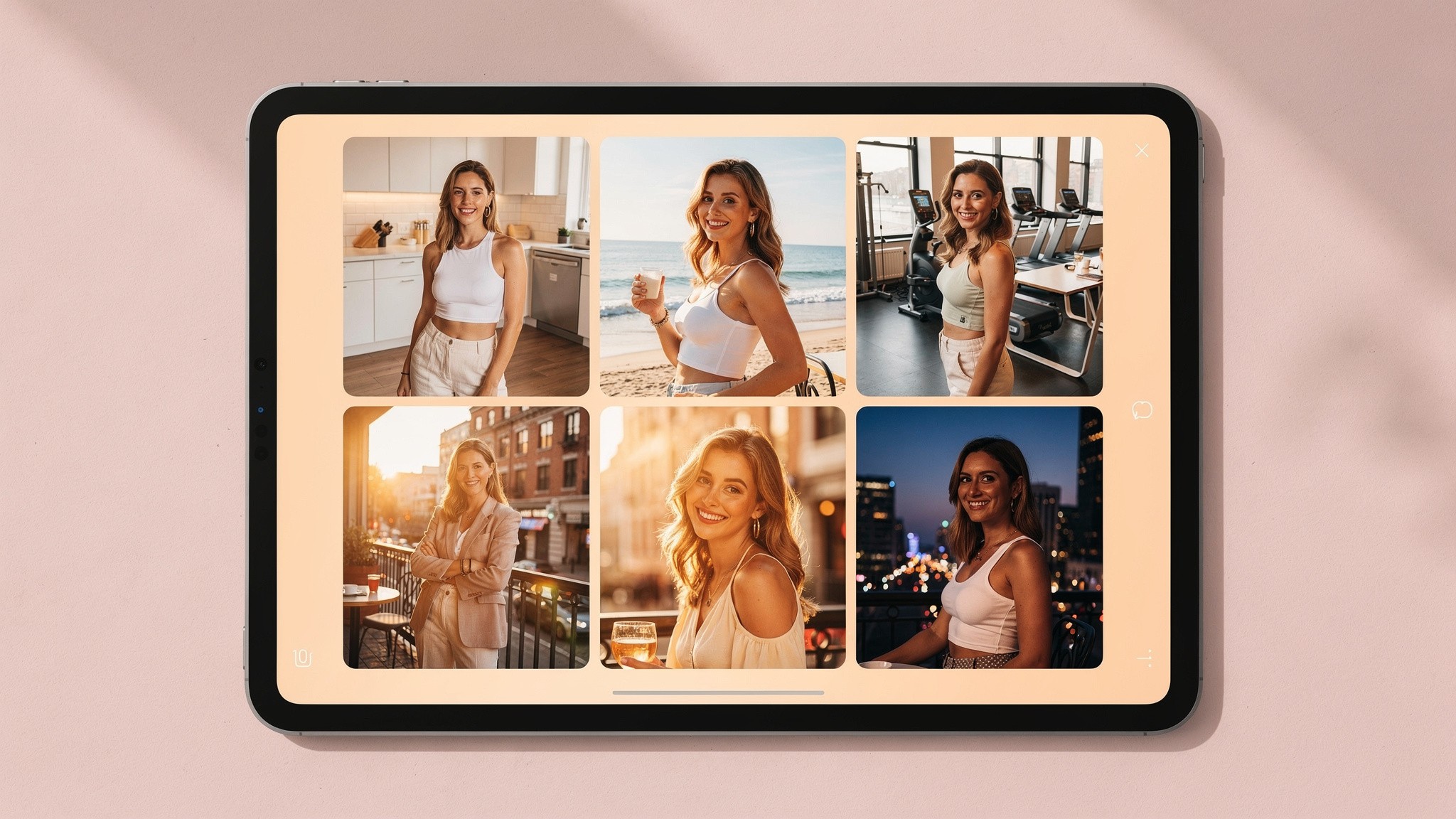
Consistent likeness across a feed is the actual creator problem - one polished portrait doesn't solve it.
Where creators actually use AI headshots
Even with an AI twin in the mix, there are specific creator placements where a "headshot" framing still makes sense. Here's how to think about each.
LinkedIn profile photo. The most traditional headshot use. Soft background, business-casual or smart-casual outfit, eye contact, slight smile. Aragon or Foxy both deliver. Per LinkedIn's profile photo guidelines, your photo needs to reflect your actual likeness, which is exactly why face drift kills these.
Twitter or X profile photo. Smaller and more relaxed than LinkedIn. Lots of creator energy here - good place to use a slightly more on-brand shot.
Podcast cover art. Square, 3000 by 3000 ideally. Often features the host's face. Needs to read at thumbnail size. The eyes and smile are the only things visible at 100 by 100.
Press kit headshot. Higher resolution, more formal. Used in articles, conference programs, podcast guest features. This is where BetterPic's 4K matters.
Instagram profile pic. Lives at 320 by 320. Should match your feed's overall vibe. A corporate headshot in a blazer rarely matches a fashion or fitness feed.
Email newsletter author photo. Small, repeats every send. Should feel personal and consistent.
Bio link page (Linktree, Beacons, etc.). Often the first thing brands see when reaching out.
Course or product creator photo. Needs to inspire trust. Often appears at multiple sizes across the sales page.
Each placement has different requirements. Notice how almost none of them are "polished corporate boardroom." That's why creators outgrow pure AI headshot tools fast.
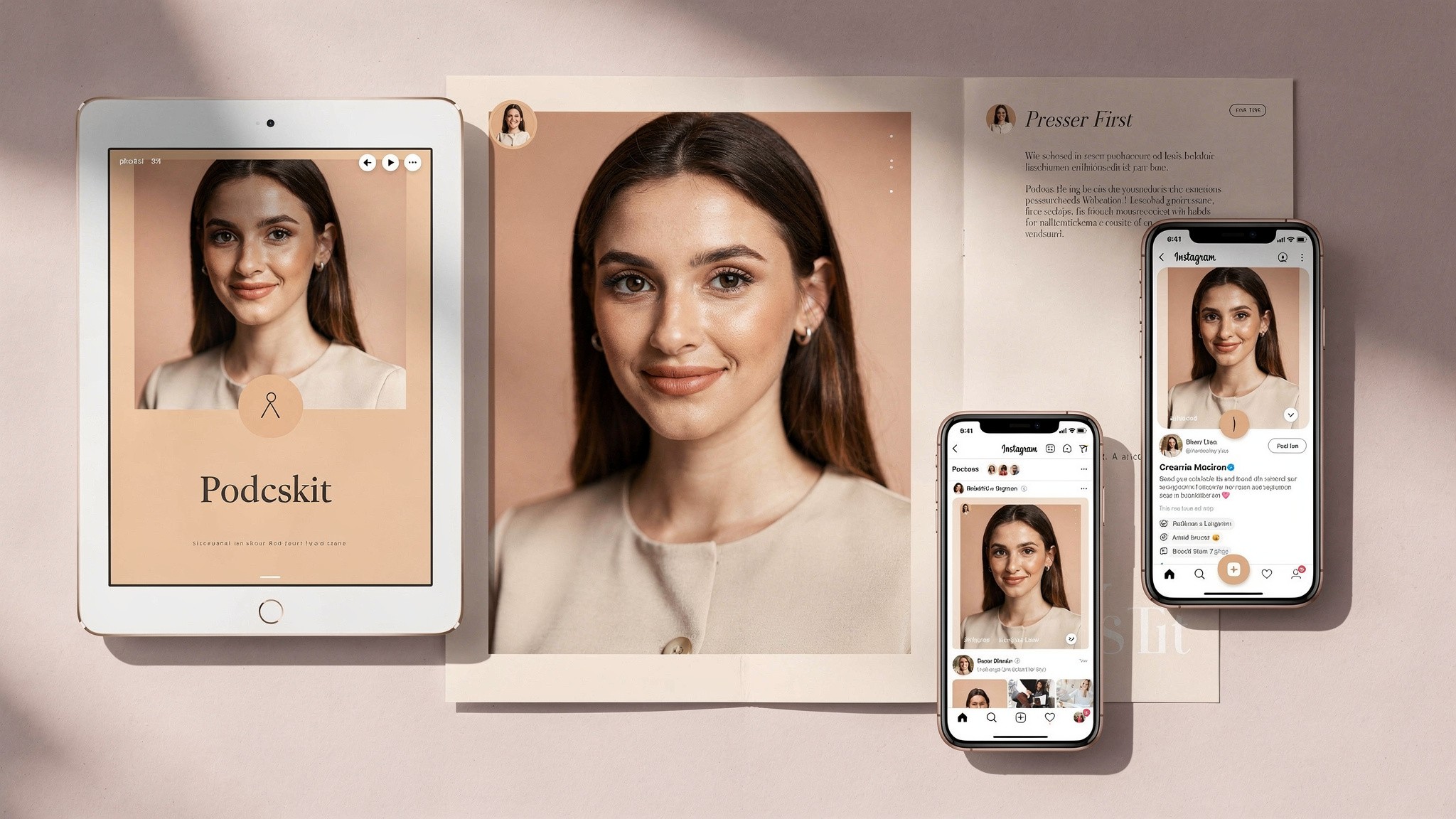
Same face, eight different placements. Each one wants the headshot to look slightly different - that's the volume problem.
How to prep your training photos so the output looks like you
This is the single most controllable input. Better training photos in, better output out. It's the difference between a usable batch and a "this kinda looks like me" batch.
Volume. Most tools ask for 8 to 20 photos. Give them 20 unless they cap it lower. More signal helps the model.
Variety in angle. Front, three-quarter left, three-quarter right, slight profile, looking up, looking down. Avoid 20 photos that are all the same angle.
Variety in expression. Neutral, smile, half-smile, mouth closed, mouth open in a natural laugh. Avoid 20 photos of the same forced grin.
Consistent appearance. This is where people screw up. Don't upload photos that span five hair colors, three weights, and a decade. The model averages across what you give it. If you've been blonde for two years, train it on blonde-you photos.
Good light, but not perfect light. Natural daylight near a window beats overhead lighting. Avoid heavy filters. Avoid Instagram-edited photos. Avoid anything where you don't recognize yourself.
No group shots. Solo only. The model needs to know which face is yours.
No sunglasses, no hats covering your hairline, no obstructive accessories. It needs to see your features clearly.
Recent photos. Within the last 12 to 18 months ideally. Faces shift over years.
If you follow this list and still get bad output, the tool is the problem. Switch tools.
Pro tip: bracket your photo set. Take 30 photos, then pick the best 20 with the most variety. If you upload your first 20 phone selfies you'll get a mediocre model. Spending 10 extra minutes selecting beats spending $45 on a bad batch.
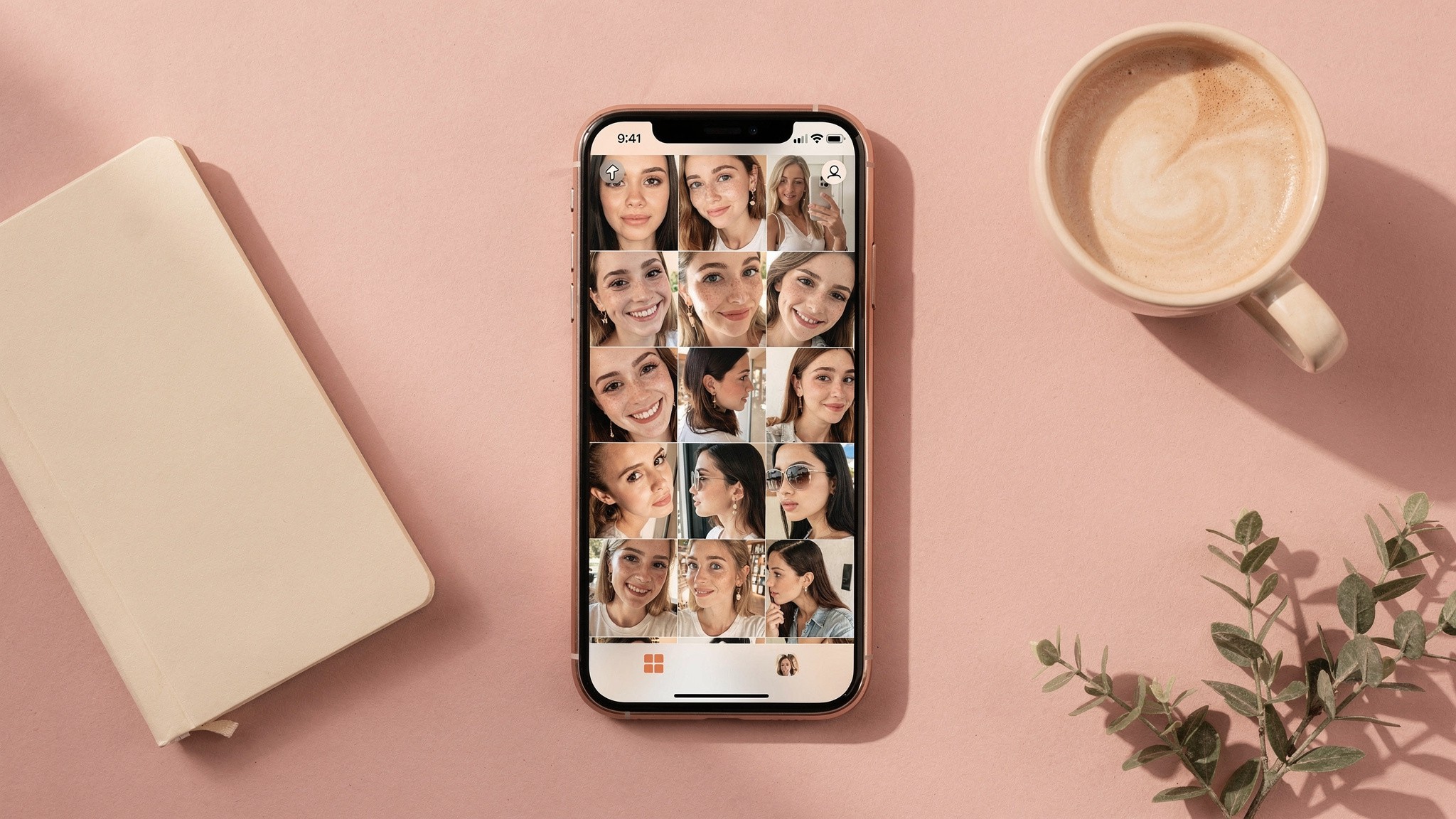
Twenty photos, varied angles, recent, no sunglasses, no group shots. That's the difference between a 30% hit rate and a 5% hit rate.
Common mistakes that ruin AI headshots
These are the patterns that show up over and over in bad outputs. Avoid them all.
Treating it like a stock photo generator. AI headshot tools train on your face. If you upload junk, you get junk. Treat the photo intake like the actual creative input it is.
Using one selfie as training. Most tools advertise "just one photo" pricing. The output quality is dramatically worse than with a full training set. Pay the extra time to give the model more to work with.
Picking the polished sample tool over the realistic-output tool. Every AI headshot site's homepage shows their best-case outputs. Look for unfiltered reviews. Look for the realistic ones, not the marketing ones.
Forcing every photo to be "professional." If your audience expects you in workout clothes or studio fashion, don't make your headshot a navy blazer shot. The headshot should match the audience's mental picture of you.
Using AI photos without disclosing when asked. Don't pretend they're real shoots if someone asks directly. Honesty about AI in creator content earns you trust. Sneaking AI photos past your audience burns it.
Buying a headshot tool when you actually need a content tool. The biggest mistake. If you're going to need ongoing content of yourself, don't pay for one batch of headshots - get the right tool for the job.
Ignoring license terms. Read what you're allowed to do with the photos. Most major tools are fine for commercial use, but it's worth checking before you put a generated photo in a paid ad.
Not testing across placements. A photo that looks great on desktop can break at a 100-pixel Instagram thumbnail. Test every photo at the actual size it'll be seen.
Quick comparison: AI headshot tools vs. an AI twin
Dimension | AI Headshot Tools | AI Twin (Foxy approach) |
|---|---|---|
Best use | One polished portrait | Hundreds of content shots |
Output volume | 20 to 240 per purchase | Unlimited via monthly credits |
Style range | Mostly corporate | Any setting, outfit, scenario |
Likeness over volume | Drifts at high volume | Built to hold across hundreds of shots |
Payment model | One-time, $29 to $75 | Subscription, $29 to $99/month |
Video output | None | Yes (AI videos and Reels) |
Best for | LinkedIn, About pages | Creator content engine |
The honest read: if you need a headshot, get one of the headshot tools. If you need a creator content engine, the math and the output type both push you toward an AI twin. The two aren't competitors - they solve different problems.
Related guides
Our guide to AI photos of yourself - the workflow, the prompt structure, and how to actually get usable photos out of any AI tool
Best AI tools for influencers in 2026 - the full AI creator stack beyond just headshots
Our Instagram aspect ratio breakdown - the dimensions to size your headshot to, depending on where it's going
Instagram post sizes for 2026 - what your headshot needs to be exported at if it lives on the grid
How to create an AI influencer in 2026 - if you're building a separate AI persona rather than using AI photos of yourself
The Instagram growth playbook - where your AI headshot fits into a bigger content system
About the author
Mia Torres is a content strategist who writes about platform growth and content systems for the Foxy AI Academy. She covers what's actually working on Instagram, TikTok, and YouTube for creators scaling their output.
FAQ
Are AI headshots professional enough for LinkedIn?
Yes, with a caveat. The leading tools (Aragon, Secta, BetterPic) produce headshots that pass on LinkedIn without anyone noticing they're AI. Per LinkedIn's profile photo guidelines, your photo must reflect your actual likeness, so face drift can technically violate the rules. Pick the tool with the best likeness for you and you're fine.
Do AI headshots look fake?
The best ones don't, the cheap ones do. The tells are plastic skin, slightly-off facial geometry, too-symmetrical eyes, and overly clean hair edges. Aragon and Foxy both pass the mirror test most of the time. Lower-tier tools and "one selfie" generators are where the AI sheen shows up.
Can I use AI headshots for professional purposes?
Yes. The major tools all grant full commercial rights to the output. You can use AI headshots on a company website, in a press kit, in paid ads, on a product page. Always read the specific tool's terms before using in a high-stakes context.
What photos do I need to train an AI headshot model?
8 to 20 selfies. Different angles. Different expressions. Recent (within 12 to 18 months). Solo, not group shots. No sunglasses or hats covering your hairline. Natural light beats indoor overhead light. Skip heavy filters. Better training photos in, better output out.
How much do AI headshots cost?
One-time tools range from $17 (Try It On AI Express) to $75 (Aragon Premium). The cost-per-usable-shot reality is roughly $1 to $4 once you account for the 15 to 35% usable rate. An ongoing AI twin tool like Foxy starts at $29 a month with unlimited generations - the math favors a subscription if you'll use it more than once a quarter.
How long does it take to get AI headshots?
Anywhere from 10 minutes to 2 hours depending on the tool and plan. HeadshotPro and Aragon's premium tiers are the fastest. Foxy builds your AI twin in under 10 minutes and generations after that are near-instant.
Are AI headshots better than a real photographer?
Different jobs. A great photographer takes 1 hour of your time, gives you 30 to 50 photos, and costs $200 to $1,500. An AI headshot tool takes 10 minutes of your time, gives you 20 to 240 photos, and costs $29 to $75. For volume, AI wins. For a single career-defining portrait you'll use for five years, a photographer still wins.
Which AI headshot tool is the most realistic?
Aragon is the realism leader among pure-play headshot tools at the time of writing. Foxy is the realism leader for AI photos of yourself across high volume of content. Different tools, different problems, same answer to the same question: the one with the best likeness wins.
Can I use AI headshots on Instagram?
Yes. Instagram has no policy against AI-generated profile photos. The practical issue is that a corporate-style headshot rarely matches a creator-style feed. Use a headshot that visually belongs in your grid, not in a boardroom.
Should I disclose that my headshot is AI-generated?
Not required, but recommended if someone asks directly. Honesty about AI in your workflow earns trust. Sneaking AI photos past your audience burns it. The middle path - using AI photos that genuinely look like you, and being open about it when asked - is where most creators have landed.
Why do my AI headshots not look like me?
The two most common reasons: bad training photos (not enough variety, old photos, heavy filters, group shots), or a tool whose model can't capture your face from limited input. Fix the input first. If you've nailed the training set and the output still doesn't look like you, switch tools.
Can I get AI videos as well as headshots?
The pure AI headshot tools (Aragon, Secta, HeadshotPro, BetterPic, Try It On AI) generate still photos only. For AI videos and Reels of yourself, you need an AI twin platform - that's the gap Foxy and a handful of newer tools fill.
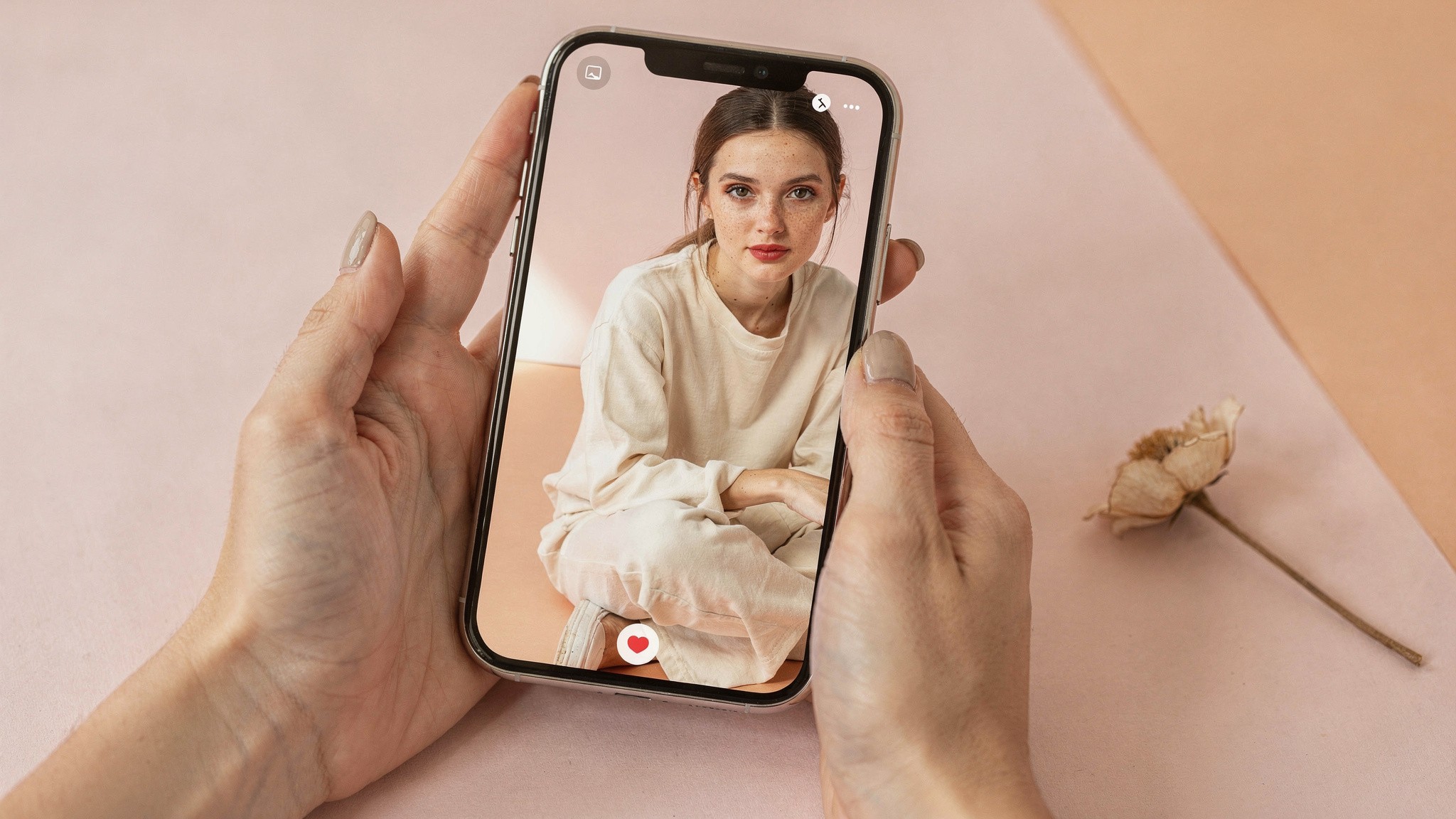
The right tool depends on the job - one polished portrait or an ongoing content engine.
The bottom line
If you're a professional who needs one polished headshot, Aragon or Secta will solve that problem for under $50. They're good tools. They've earned their SERP dominance.
If you're a creator whose face needs to live across hundreds of different posts, podcast covers, press kits, and profile pics - all looking like the same person - that's not a headshot problem. That's an AI twin problem. The answer is a different category of tool entirely.
Foxy AI is the leading AI content tool built for creators. Build your AI twin in under 10 minutes from a few photos you already have, then generate as many ultra-realistic photos and videos of yourself as you want. Used by over 11,000 paying creators, with plans from less than $1 a day.
By
Mia Torres
Content Strategist, Foxy AI Academy
Mia Torres is a content strategist who writes about platform growth and content systems for the Foxy AI Academy. She covers what's actually working on Instagram, TikTok, and YouTube for creators scaling their output.